Snap your bills. Log your income. See what's left.
Take a photo of any bill—paper, PDF, or screenshot—and BillSnap extracts the amount, due date, and biller automatically. Add your income too, and know exactly how much money is left after bills every month. No bank login. No late fees.
Free for 8 bills + 8 income entries every month
Try Premium free for 7 days • Cancel anytime
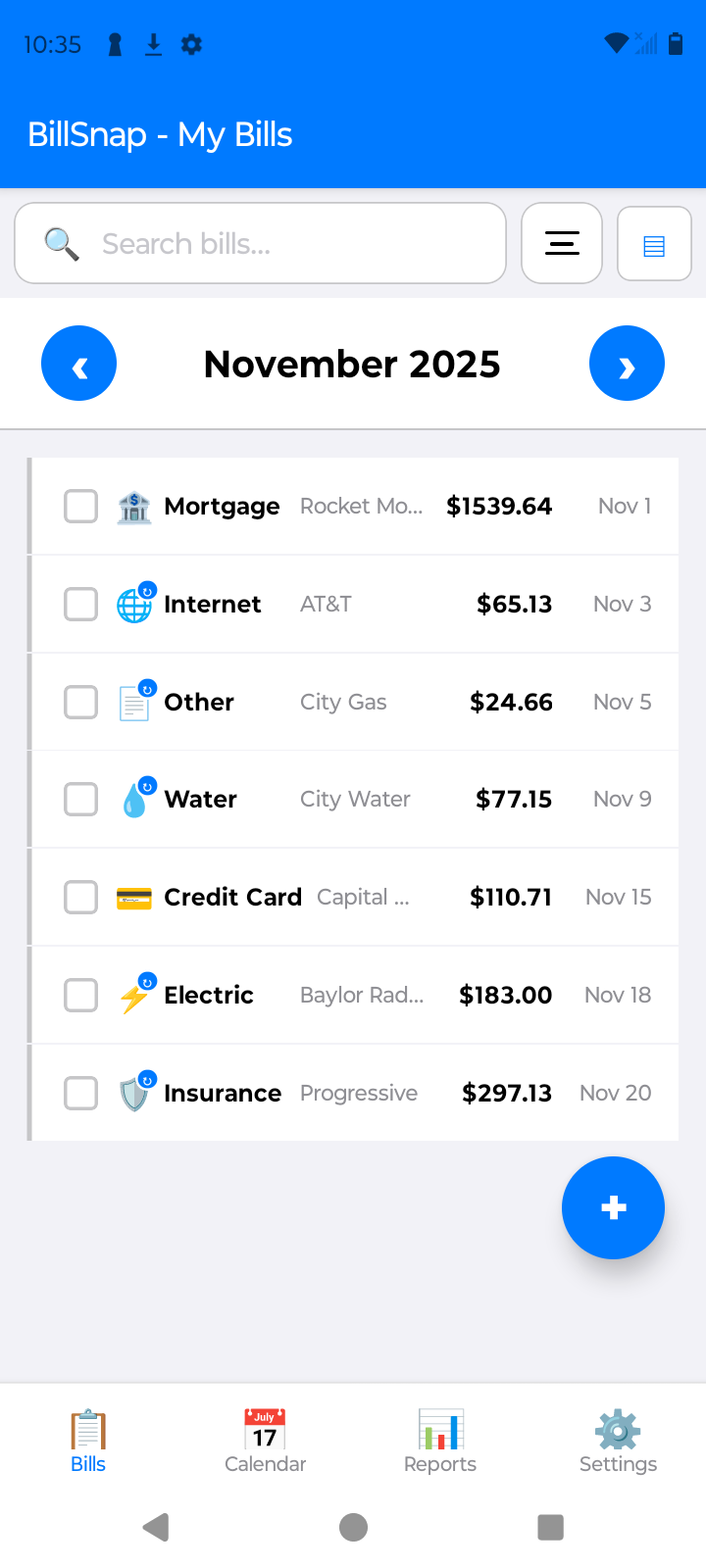
Paper bills in the mail. PDFs in your inbox. Screenshots on your phone. And when everything's finally paid, one question is still open: how much do I actually have left this month?
BillSnap answers it. Money in, money out, and what remains—in one private app.
Four things BillSnap does that scattered notes and spreadsheets can't
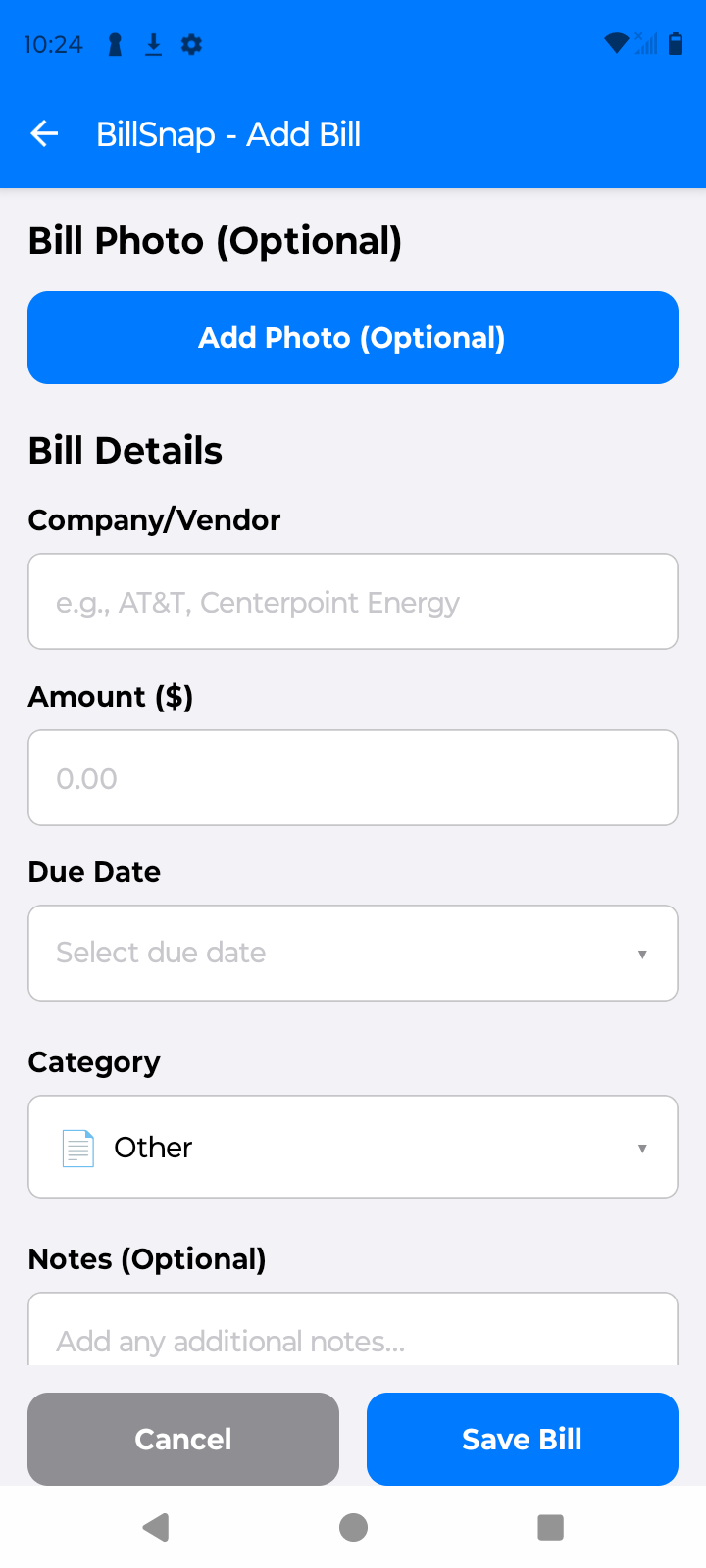
Paper bills, PDFs, screenshots. Scanning runs on your phone and pulls the amount, due date, biller, and even account numbers—no typing, no uploading your bills to a server.
Log paychecks, freelance payments, side jobs, rental income, and bonuses in the dedicated Income tab. BillSnap shows your total income right next to what you owe.
Reminders arrive before bills are due—you choose how many days ahead. Mark bills paid with one tap, and auto-pay bills get a "did it clear?" check-in.
Your financial data stays on your device by default. Optional Premium cloud backup is encrypted with your passphrase before upload. No ads, no cross-app tracking, no bank credentials—ever.
Four steps to your full money picture
Photograph paper bills or import PDFs and screenshots. BillSnap reads the details for you.
Log paychecks and side income in seconds. Set recurring paychecks once and they keep themselves current.
Notifications arrive before every due date. Mark bills paid with one tap.
Your home screen shows income vs. bills and what remains after bills—your real number for the month.
Bills and income tracking are built into the free tier. Premium removes the limits and adds automation and insights.
The free tier covers 8 bills and 8 income entries per month. Premium removes both limits—track everything, every month.
Set a bill or paycheck once and future occurrences generate themselves—weekly, biweekly, monthly, or yearly. Nothing to re-enter.
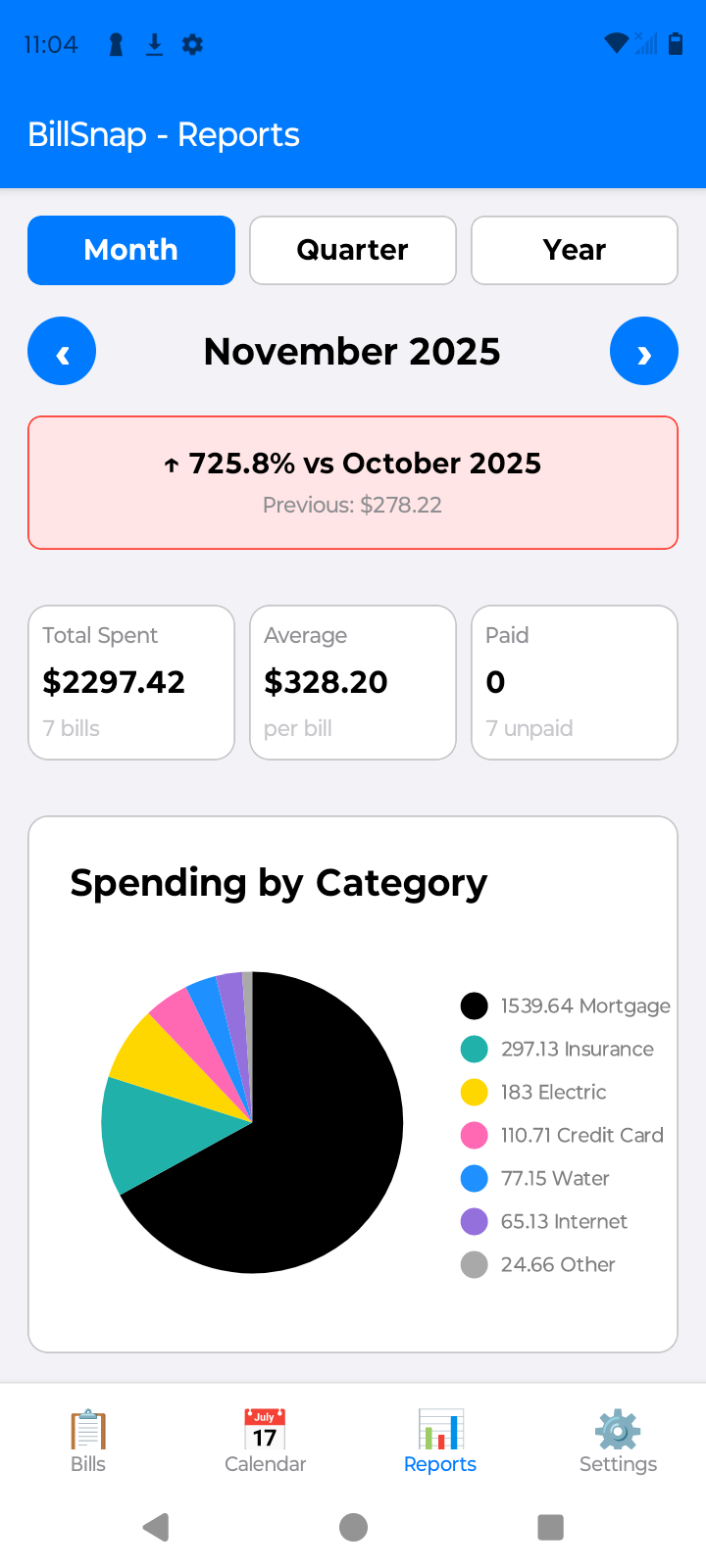
See cash flow across months, spot trends, and understand exactly where your money goes with quarterly and yearly reports.
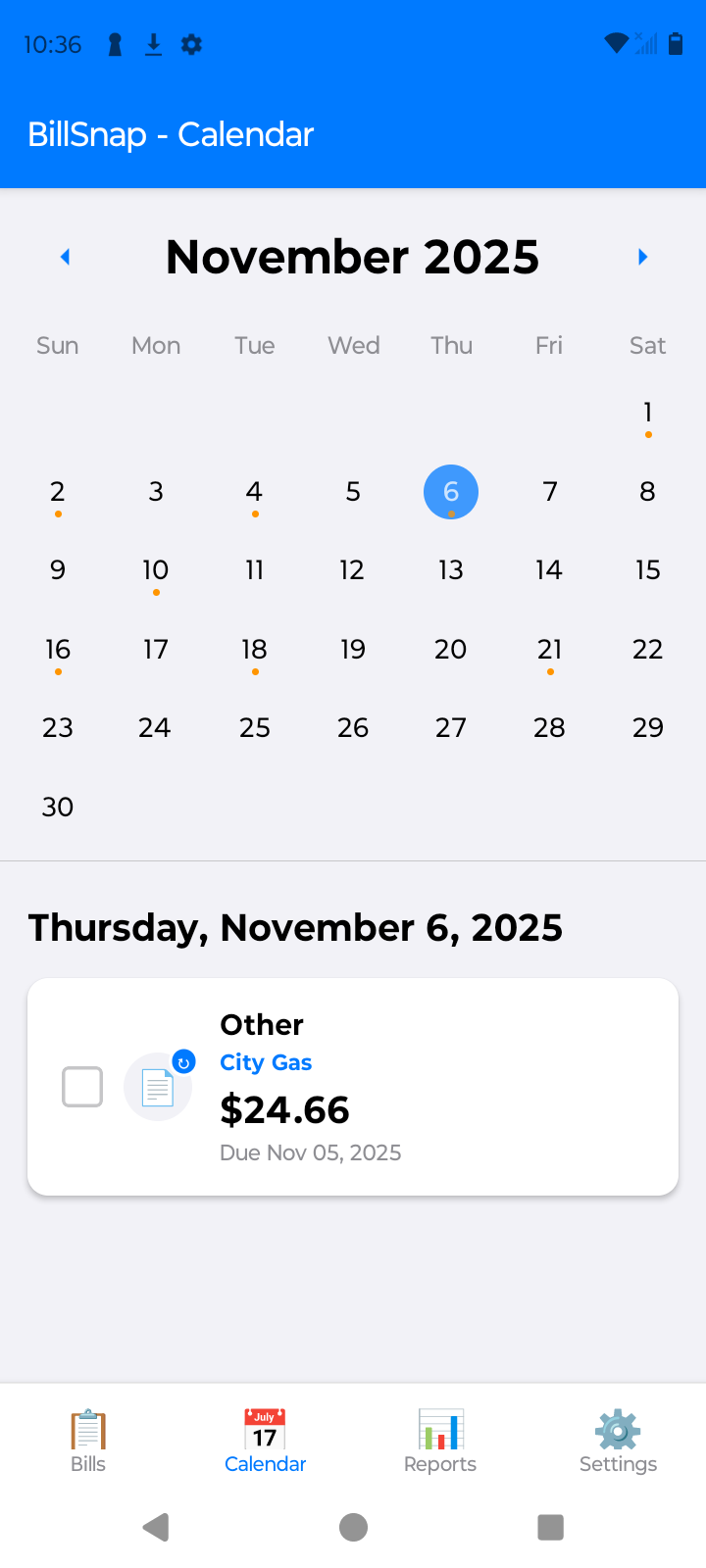
Browse past and future months on the color-coded calendar to plan payments weeks ahead or check what you paid last quarter.
Bills, income, photos, and settings backed up—encrypted with your passphrase before upload—and restorable on a new device.
Download your history as CSV or PDF for taxes and records, and tune reminder timing to exactly when you want the nudge.
Try all Premium features free for 7 days. Cancel anytime.
Start Free TrialAnyone whose money doesn't fit in a banking app
Rent, utilities, internet, insurance, HOA fees—snap them all, get reminded before each due date, and see what's left of your paycheck after the essentials.
Variable income, fixed bills. Log every client payment and side-gig payout next to your expenses and know whether the month is ahead or behind.
All household bills in one place—what's due, what's paid, and how much of the family income is left for the month.
Track bills and income without handing your bank login to a third party. Everything stays on your phone unless you choose encrypted backup.
Real screenshots from the app
See exactly what's due today
Snap a bill—details fill themselves in
Plan your payment schedule
Understand where your money goes
Start free, upgrade when you need more
Practical answers first—app optional
A simple system that catches every bill—paper, email, and app—before it's late.
The one number that makes budgeting real, and how to see it every month.
Why you don't need to hand over bank credentials to stay on top of bills and income.
How photo scanning turns a paper bill into a tracked payment in seconds.
The routine that ends late fees for good—reminders, calendars, and one honest list.
How freelancers and gig workers plan fixed bills around variable pay.
Put every due date on one calendar and read your month at a glance.
Catch every repeating charge and stop paying for things you forgot.
Choose the workflow that fits how you manage money
Honest comparisonPhoto-first bill and income tracking or a broader budget and expense system? Compare platforms, privacy, family sharing, and pricing.
Read the comparison →Take a photo of any bill and on-device scanning extracts the amount, due date, and biller automatically. Add your income in the Income tab, and BillSnap shows what's due, what's paid, and what's left after bills each month.
Yes—the free tier includes up to 8 bills and 8 income entries per month, photo scanning, and reminders. Premium ($2.99/month or $19.99/year, 7-day free trial) removes the limits and adds automation, insights, export, and encrypted backup. Learn more
Yes. Log paychecks, freelance payments, side jobs, investments, rental income, and bonuses—then see income and bills side by side. Learn more
They can be—if they don't demand your bank login and store data on your device. BillSnap does both, and its optional cloud backup is encrypted with your passphrase before upload. Learn more
BillSnap supports 26 currencies and 6 languages: English, Spanish, French, German, Portuguese, and Japanese. Learn more
Bills in. Income in. Late fees out.