How to Make a Bill Payment Calendar
A bill list tells you what you owe; a bill calendar tells you when the month gets dangerous. Due dates clustering in the same week, a bill landing two days before payday, an annual renewal you forgot existed—all invisible in a list, obvious on a calendar.
Step 1: Collect every due date
Pull due dates from your statements, email, and the paper pile. Note which ones repeat monthly on a fixed day, which drift (credit cards), and which are quarterly or annual—the rare ones cause the worst surprises.
Step 2: Put them all on one calendar
Any calendar works to start—paper, Google Calendar, or a notes app. The non-negotiable part is one calendar: a bills calendar you check plus a life calendar you don't is how things get missed. Set each recurring bill as a repeating event so next month builds itself.
Step 3: Color-code what matters
Three states are enough: paid, upcoming, and overdue. The point of color is that you shouldn't have to read anything—a glance at the month should tell you whether you're fine.
Step 4: Add your paydays
This is the step most people skip and the one that changes everything. With income dates on the same calendar, you can see the crunch coming: three bills due the Thursday before payday is a problem you can solve a week early (move a due date, delay a purchase) instead of a fee you discover later.
Step 5: Review weekly, adjust monthly
Once a week, look at the next seven days. Once a month, glance at the whole next month—especially for the quarterly and annual items. Ten minutes total, and the calendar stays truthful.
How BillSnap builds this calendar for you
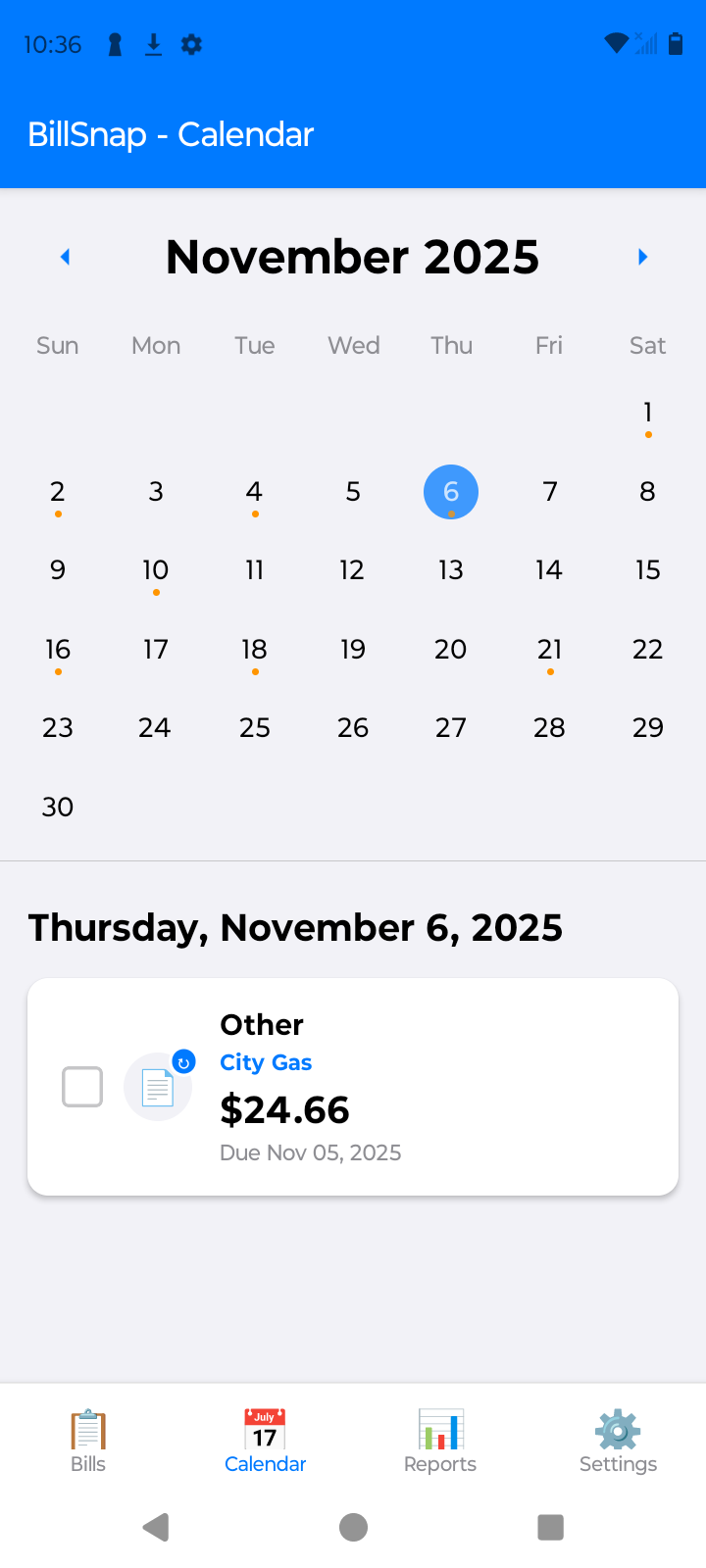
Every bill you snap into BillSnap lands on a color-coded calendar automatically—green for paid, orange for upcoming, red for overdue—and your income entries appear on the same calendar, so crunch weeks show themselves. Recurring bills and paychecks populate future months, and Premium unlocks browsing past and future months for planning. Free for up to 8 bills and 8 income entries per month.