How to Keep Track of Monthly Bills (Without a Spreadsheet)
Most missed payments aren't a money problem—they're a visibility problem. Bills arrive in three different places (the mailbox, your email, and individual apps), and no one place shows all of them. Here's a system that fixes that, whether or not you use an app.
Step 1: Find every bill you actually have
Go through one full month of bank and card statements and write down every recurring charge. Then check your mailbox pile and email for anything that bills you on paper or PDF—utilities, insurance, medical bills, and local services are the usual stragglers. Most households find one or two bills they'd forgotten.
Step 2: Give bills one capture point
The core rule: the moment a bill shows up, it goes into one list—not "I'll deal with it later." A notebook works. A note on your phone works. The friction is retyping the amount, due date, and biller each time, which is why bills pile up unprocessed. If you photograph bills instead, the capture takes seconds and nothing waits in a stack.
Step 3: Put due dates where you'll see them
Transfer every due date onto a calendar you check anyway. Set a reminder a few days before each due date—enough time for a bank transfer to clear, not so early that you snooze it. See our guide to making a bill payment calendar for the details.
Step 4: Track the other side—your income
A bill list tells you what's leaving; it can't tell you whether you're okay. Note what comes in each month next to what goes out. That's how you catch the months where due dates cluster before payday, and it turns "did I pay everything?" into "how much is left?"—a far more useful question. More on that in how much money is left after bills.
Step 5: Review for five minutes a week
Pick a day. Glance at what's due in the next seven days, mark what's been paid, and capture anything new. Five minutes a week beats an hour of panic at the end of the month.
How BillSnap does this in seconds
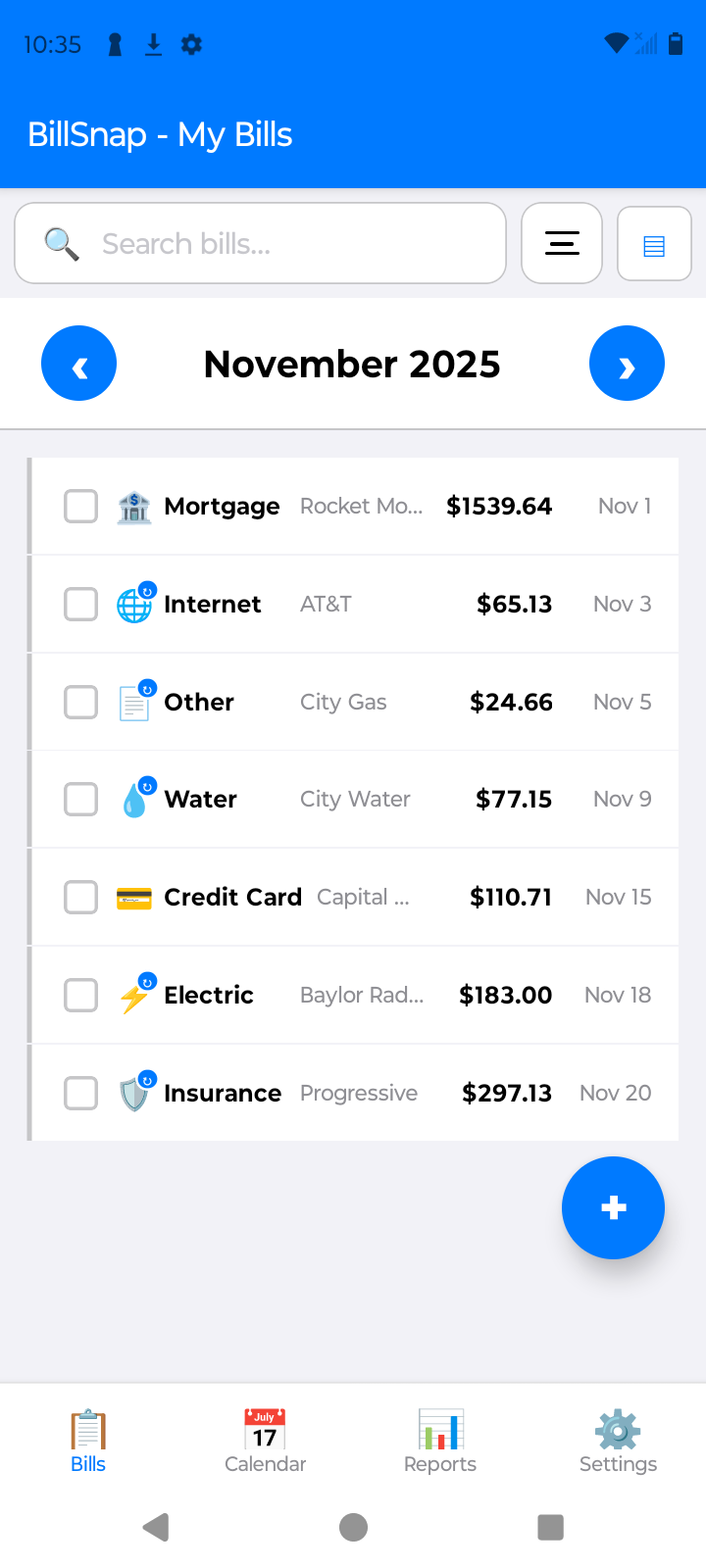
BillSnap is a bill and income tracker built around exactly this system. Snap a photo of any bill—paper, PDF, or screenshot—and on-device scanning extracts the amount, due date, and biller automatically. Reminders fire before each due date, income entries sit right next to your bills, and the home screen shows what's left after bills each month. Free for up to 8 bills and 8 income entries per month.